


Learn Electronics Today with the SparkFun Inventor’s Kit
Build real circuits. Write real code. Go from beginner to confident maker with step-by-step projects using Arduino or MicroPython.

Trusted by thousands of beginners, students, and educators
Why the SparkFun Inventor’s Kit?
Getting started with electronics can feel overwhelming. Choosing components, wiring circuits, and learning to code all at once is a lot.
Whether you are looking to learn programming electronics with Arduino or MicroPython, these kits guide you through hands-on projects that teach both hardware and software at the same time.
Perfect for:
- Beginners with zero experience
- Students and classrooms
- Engineers exploring embedded systems
- Anyone curious about how electronics actually work!

Project-Based Learning
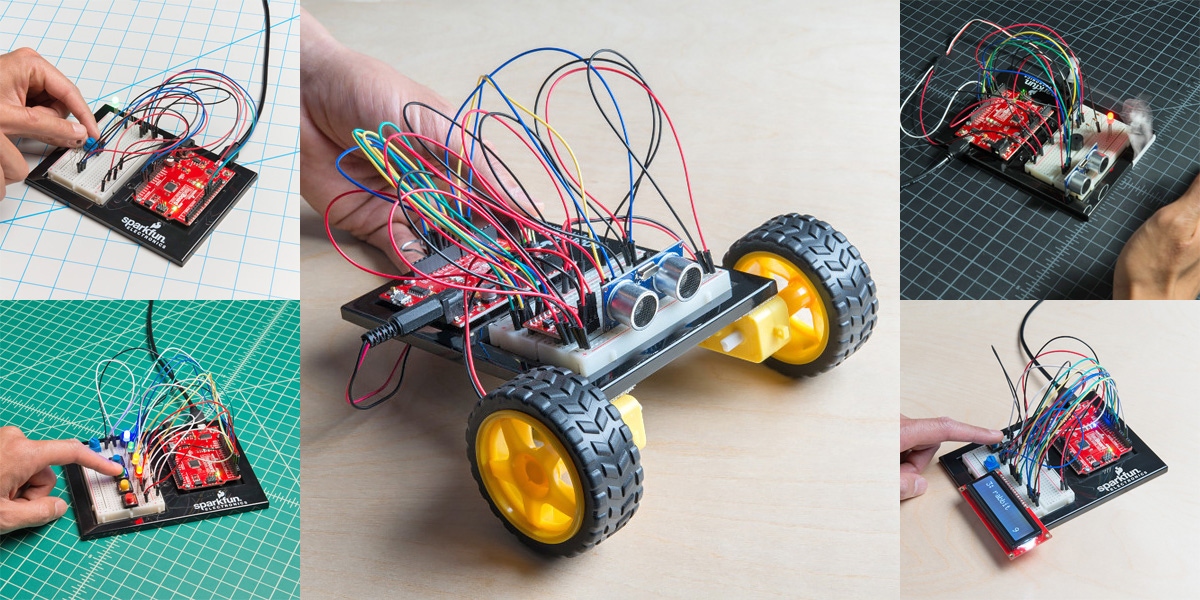
SparkFun Inventor's Kits are built around five projects that progress in difficulty, building on the skills learned in each of 16 circuits. Create games, robots, alarms, sensors and more while learning basic concepts of electricity and programming.
SparkFun Inventor’s Kit
for Arduino (v4.1.2)
Choose Arduino if you want a highly structured learning path with a physical book to follow along, while building experience with a widely used embedded platform and developing a strong foundation in traditional microcontroller programming.

SparkFun Inventor’s Kit
for MicroPython
Choose MicroPython if you want a simpler, more readable coding experience that allows for faster iteration and experimentation, while building skills that translate directly to Python and modern embedded systems workflows.

Key Differences:
| Feature | Arduino Kit | MicroPython Kit |
|---|---|---|
| Programming Language | Arduino (C/C++) | MicroPython (Python-based) |
| Microcontroller Board | SparkFun RedBoard Qwiic | SparkFun IoT RedBoard - RP2350 MicroPython Development Board |
| Guide Format | Printed spiral book | Digital guide |
| Learning Style | Structured, step-by-step | Flexible, fast iteration |
| Setup | Traditional IDE | Lightweight scripting |
| Expandability | Sensor expansion with Qwiic Connector | Sensor expansion with Qwiic Connector and IoT Capablities |
Additional Features of Both SIK Versions
Over the years we've taken user feedback to heart to make the best possible embedded electronics kit.

Breadboard-Friendly Components
The SIK has breadboard-friendly components to make circuit building even easier for those just getting started. The resistors have thicker leads making them more durable. Also, the buttons have straight legs to easily fit into your breadboard.

Step-by-Step Guides
With either the spiral-bound notebook (Arduino version) or our digital guide (MicroPython version) each circuit is easy to follow and build, allowing you to concentrate on learning, not reading complicated instructions. To add more depth to the SIK and the concepts it teaches, the capstone project covers robotics concepts that will allow beginners to create their own autonomous robot!

Easily Expand with Qwiic Connect System
Both SIK versions includes a Redboard microcontroller which allows you to expand into the SparkFun Qwiic ecosystem after you have become proficient with the SIK circuits. The SparkFun Qwiic Connect System is an ecosystem of I2C sensors, actuators, shields and cables that make prototyping faster and less prone to error.