sku: BOB-00099
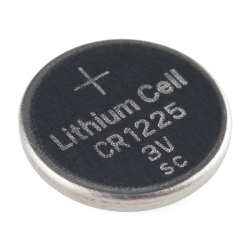
Description: This a custom designed module for the DS1307 Real Time Clock. The module comes fully assembled and pre-programmed with the current time (ok, so it's our current time - MST). The included Lithium coin cell battery (CR1225 41mAh) will run the module for a minimum of 9 years (17 years typical) without external 5V power. The DS1307 is accessed via the I2C protocol. We've written a test-bed to program the modules. This test-bed code should give you some insight on how to interface the module to any microcontroller using our example software I2C and BCD routines.
Features:
Dimensions: 0.75x0.75" (20x20mm)
Documents:
Software:
DEV-09663
Wiring BoardPRT-00337
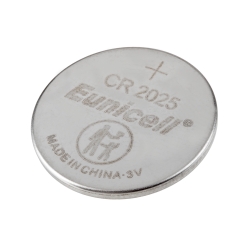
Coin Cell Battery - 12mmCOM-00540
Crystal 32kHzPRT-07948
Coin Cell Holder - 12mmCOM-10079
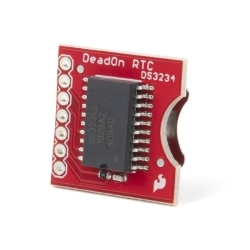
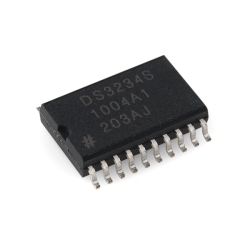
Real Time Clock - DS3234
Comments 64 comments
Is there any way you could create a module that runs on 3.3V as well?
I found that the DS3231 to be a fantastic replacement. The DS3231 will function with a VCC ranging from 2.3V to 5.5V and has a battery backup. Unlike the DS1307, the DS3231 also has an integrated crystal (so no external crystal required), temperature sensor, 2 programmable time-of-day alarms, a 32.768 kHz output pin, and a reset button debounce circuit. And the DS3231 only costs a dollar more (DS1307 cost is $1.36/1k and the DS3231 is $2.55/1k).
We are currently working on a rev
Any idea when that’s going to be ready?
It’s in the testing phase, so week or a few?
same price and everything? i think it would be great for my project
Any more news on the updated module?
Take a look!
That was almost 8 weeks ago, is there any further information available. What chip will it be using. We need an accurate I2C clock w/o trying to mount surface mount chips our self!
Would love to see one of these for a 3.3v part, rather than 5v.
What’s the frequency stability on the crystal? +/-0.5% means that your date/time could be off by almost 2 whole days at the end of a year. 10ppm or less would be nice since that would cut the error to single digit minutes in a year.
If you want reasonable time keeping I’ve had much better luck with a DS3231. The only downside is they are about twice the price of a DS1307.
You’ve got a point there ! If I knew before that the time-base of this device is not that stable I would of bought another type of RTC. Mine runs 9 seconds behind a day! ( that is about as much as the clock on my cell phone in a whole year ) Maybe I will look for a radio-based syncronisation with DCF-77. (europe system).
At least then I will have an automatic switch of summer and winter time.
I would love a bit more newbie help with this module. What do “SQW”, “SCL”, and “SDA” mean? I think I kinda understand how to run the Arduino tutorial, but I’m actually not clear on how to physically wire the thing up.
I found some info on the Arduino Tutorial in Portuguese by Daniel Goncalaves under the “Software” heading.
It shows a photo and diagram and provides some discriptions. I was able to read it in English by entering the URL into Google search and then use [translating this page] feature.
I haven’t connected my clock yet, so I don’t know how accurate the info is.
http://lusorobotica.com/index.php/topic,681.0.html
Cheers,
Troy
Since my last replay, I attached the bob 00099 to my arduino duemilanove 328.
bob to Arduino
SDA to Analog Pin 4
SCL to Analog Pin 5
5v to 5v
Gnd to Gnd
I’m able to program and read from it using
RTC Control v.01
by <http://www.combustory.com> John Vaughters
Cheers,
Troy
Doc + schema + code in one page. Get it running in just the time of soldering the wires.
One big difference with tzarcone, I must not plug the ground wire, otherwise reading is always the same.
Hope this helps.
http://kalshagar.wikispaces.com/Arduino+and+a+Real+Time+Clock+(RTC)
If you’re using 5v (which the device requires), the pullup resistor values given are wrong. The very minimum should be 1.5k. This might be why it doesn’t work with the ground pin connected (yes, that should be connected). If that doesn’t work, you have other electrical problems in your system.
Nothing’s incrementing.
I can read from, and write to the RTC, but the time isn’t incrementing. I’ve tried setting/clearing bit 7 of 0x00, running with/without ground and with/without 1K pull-up resisters. Still no action.
I’ve tried the code from Combustory, as well as my own more abbreviated code.
Heck! I even tried removing the B/U battery to reset everything to zero!
Can anyone suggest something new to try?
Jim
Victoria, BC
OK, it’s working now. The module I received had a faulty crystal. No clock, no increment. Who’d have thought? -G-
Im thinking not… but just incase:
Is this compatiable with a 3.3v arduino and other 3.3v I2C components?
If not are there any plans for a 3.3v part? :)
:) Hello, I have written a tutorial to interface DS1307 Chip with AVR MCUs. You can have a look at it here
http://extremeelectronics.co.in/avr-tutorials/interfacing-ds1307-rtc-chip-with-avr-microcontroller/
Kshatrya: OK, it’s working now. The module I received had a faulty crystal. No clock, no increment. Who’d have thought? -G-
Mine arrived with Register-0 Bit-7 SET! No Clocking.
Hmmmmm. I guess that the date/time is wrong….
Thanks for setting it at SparkFun;(
codemonkey: Would love to see one of these for a 3.3v part, rather than 5v.
What this guy said. 3.3v version please. Have a look at the DS1338 or DS1388. I don’t think you even need to change the PCB!
Like the guy said 3.3V needed did not realise it was 5V only. Just ordered myself the 1338 hope my soldering ip up to it.
personally, i prefer the 24 hour version, so though it goes against sparkfun, http://www.newark.com/maxim-integrated-products/ds1307z/real-time-clock-ic/dp/08J6234
If you set the appropriate register, you can get 24 hour time. See the datasheet.
I wrote an arduino library to use this. It’s available at http://is.gd/880Ju but I don’t really have 24 hour time working yet. The archive has a Readme.txt that covers how to use the library including how to wire it to the Arduino.
I mean 12 hour time.
Works great, but it was set to a junk time when I got it. It was something like 30:05:00 or something. Had to reset it. Silly Sparkfun :)
Yeah! mine was preset to 1/1/0 0:0:80 and wouldn’t increment.
but once i set it to the right time it worked great
This module is highly useful, especially with Arduino. We have a tutorial about it here: http://bit.ly/amhBeW
Can’t wait! Any ETA? Thanks!
You should know by now our ETAs aren’t great :–) It is in the works, that’s the most reliable information we have.
I got my DS1307 displaying on my LCD module. Posted my code and wiring at http://arduinotronics.blogspot.com/2010/10/ds1307-real-time-clock-working.html
Thank you Sparkfun!
If anyone had the same problem as me I found the solution, hope it saves you some googling time :) I am also unsure if the problem is connected to the UNO or not which I am using.
Two issues:
Besides having to switch connectors from RX(0) and TX(1) to using A4 and A5 to get a read, I couldn’t set the time with the commands provided, it would just randomly set the time. The TsomeNumbers.. did not work. The problem came with the code supplied in both the wiring example and in the bottom section of the Arduino tutorial.
I found by using the less(more?) sophisticated code from glacialwanderer.com it works a treat. just remember to comment out the set time line when the time is set :)
http://www.glacialwanderer.com/hobbyrobotics/?p=12
Hope this helps!
One of the mounting holes isn’t accessible due to the location of the battery holder.
My watch uses an mbed as it’s brain so if there is some drift in the time I don’t much care. Compensation is easy. Especially if I implement wifi. It’s conveniently already put together for me :)
For Arduino Uno users -
I have built on the code John Vaughters included in his tutorial (nice job, btw). Created an RTC library and added the class accessors listed below. Plus, I have a test harness that exercises the library. This is a work in progress (still a little rough, a little light on comments), but if you are just getting started with this nice little 1307 breakout board, perhaps my work might be of some use. Plus, I could use the feedback.
ezcook57@gmail.com
void getTimeDate(struct timeDateContainer workingPtr);
void printTimeDate(struct timeDateContainer nowPtr);
void setSeconds(int seconds);
void setMinutes (int minutes);
void setHours (int hours);
void setDayOfWeek (int dayOfWeek);
void setDayOfMonth (int dayOfMonth);
void setMonthOfYear (int monthOfYear);
void setYear (int year);
bool is12HourModeEnabled(void);
byte isItAMorPM (void);
void setAmPm (int amPmDesignator);
void set24HourMode (void);
void set12HourMode (void);
void turn1307On (void); – not yet implemented V 4.0
void turn1307Off (void); – ditto
void readMemoryBlock (byte destinationArray[],
void clearMemoryBlock (void);
byte bcdToDec(byte val);
byte decToBcd(byte val);
// should be able to use byte instead of unsigned char?
void I2cWriteUtility (unsigned char newValue,
unsigned char I2cReadUtility (unsigned char dataOffset);
I had troubles getting the example code working with Uno.
I was successful with the RTC library (https://github.com/adafruit/RTClib) connecting SDA – A4, SCL – A5.
Is there any possibility to change default (0x68) address on this chip ? I have 4 devices on the I2C bus and they all 0x68.
I am also trying to change the address on the other sensors (K22 Senseair) but without luck so far.
Thank you !
I sent an email to MAXIM support and got the following reply:
Our I2C clocks are all set for D0h, and there is no way to change that, except on the DS1372 (32-bit binary counter), where you can place 2 devices.
http://www.maxim-ic.com/datasheet/index.mvp/id/5507
The DS3234 uses SPI communications, which usually requires device-specific Chip Enable inputs from the Master. There is no Slave Address in SPI.
DS3231 and DS3232 are I2C-formatted TCXOs.
http://para.maxim-ic.com/en/search.mvp?fam=rtc&374=I2C&tree=timers
Alternatively, you might add an I2C mux to place multiple components of the same Slave address.
http://www.maxim-ic.com/datasheet/index.mvp/id/5222
Hi,
I wrote a C# driver targeting the netduino for this clock module. You can find the code and details here:http://fabienroyer.wordpress.com/2011/01/03/keeping-track-of-time-on-a-netduino-using-a-maxim-ds1307-real-time-clock/
Cheers,
-Fabien.
I wasn’t paying attention, the battery holder is not a ground. You’ll short the battery otherwise and loose time when the device is powered off :)
This device costs more than Adafruit’s, but is around a third of the PCB real estate (double sided, SOIC).
John Boxall has some good example code and tutorial as well: http://tronixstuff.wordpress.com/2010/05/20/getting-started-with-arduino-%E2%80%93-chapter-seven/
You will find that SparkFun devices are better designed than the competitions', but they tend to cost a tad bit more. Their great customer service and support makes up for it.
I want to connect several RTC’s at once. Is there a way to change the slave address on a DS1307 and DS3234?
Nope. Sorry. If you really need it, maybe you could bitbang a second i2c port in software…
I have the sparkfun DS1307 module hooked to my Arduino Uno on analog pins 4 and 5 that same as this diagram http://bildr.org/2011/03/ds1307-arduino. When I start it up and use the code from the site above to read it reads noon Jan 1 1999. This works fine, however when I try to set the time using the other example sketch provided I get the right time until i close and reopen the serial monitor or turn off everything and turn it back on. If I do either of those things the the time goes back to 1999. Any ideas what could be wrong? Thanks
I’d like to use the 1Hz oscillator and the “open drain” SQW pin with an LED and resistor connected in series to the 5V supply.
So far, I’m using a 3K-Ohm resistor to limit the LED to about 1mA (fairly dim). Is this sufficient as a pull-up resistor? A lower value / brighter LED would be nice. A 200-ohm resistor did also work, but I didn’t leave it running for a long time. Should I be doing something else, like using SQW to drive my own transistor to switch the LED? Seems redundant, but I’d rather put in an extra part than kill the clock. I can’t find anything in the datasheet that refers to allowable current on this pin; presumably it has no problem with the +5V it uses itself.
All the online references to open drains (mostly talking about open collectors actually) I can find seem to be talking about using values up to hundreds of kohm to try to minimize current or dropping back maybe to 4.7kOhm for something like I2C running lots of parallel devices at 400kHz.
The intended application is to help confirm running status of a data logger and so will be blinking away for months on end. I can also leave off the blinky without impairing the essential operation if I’m totally missing the intended use of the pin.
can some write me some code or show me where to get it to reset the clock to UTC Time
Hello guys,
I wrote a library to make setting and getting date/time from DS1307 easier on Arduino.
The code is available at:
https://github.com/turicas/DS1307/
Please let me know what do you think and, if you want, put a link to this library in the product description.
Hi turicas, thankyou for writing the library. I guess you already know but the examples all hang after 120 reads. Probably easy to solve but I do not know how to do it !!
Yet another library: https://github.com/davidhbrown/RealTimeClockDS1307
Includes example sketch that (via Serial monitor) allows you to set the clock, accurately toggle AM/PM, enable/disable the square wave generator, and read/write memory.
I wanted to use the square wave output to trigger an interrupt and use the battery-backed RAM for a data logger project, so I needed a library that would do a little more than just read the time.
After modifying some simple code from the Revolution Ed PICAXE forum this little clock operated fine with a 20X2 C.1 firmware. My first I2C experience. Anyway, the draw back is setting the exact time to the second. I guess it would not take too long to write code to read a GPS and synch the time. Another night …
Wow, be aware, while this is a fine chip for learning purposes (i2C)at stable room temperature it looses about 60 seconds per week.
BTW, this I2C buss chip works fine at 5VDC with the HMC Compass chip on the same I2C buss. I2C pull down resistors either 4.7k or 10K are part of the MHC compass chip.
We have a more accurate one here
That’s fine but there’s nothing on the description of the module that indicates that the accuracy is poor. It’s not ok to be selling a clock circuit that doesn’t keep time fairly accurately without a big caveat on the product description page. Mine is losing a second every three hours and your reaction is “oh well, we have a better one” – not ok you guys.
Can you guys sell the DS1307 alone? I need it for a project and I don’t want to solder this board to a PC board…
I second that! It is amazing that Sparkfun doesn’t already have a simple, 8 pin, I2c chip.
I followed these directions using analog pins 4 and 5 with my Uno. Ran these 2 sketches:
http://bildr.org/2011/03/ds1307-arduino/
Got
0/0/0 0:0:0
0/0/0 0:0:0
0/0/0 0:0:0
0/0/0 0:0:0
…
Please help!
I found despite the claim that the clock would come preset with the time at Sparkfun that my clock also reported the time and date as zero’s. Find an example (link above I think) that will show you how to set the time. Then once you do that it appears to keep the time just fine even with no power.
Sparkfun, why not put the pull-up resistors on the module for us with jumper to disconnect if necessary?
Hi guys, We have just purchased the RTC module from Sparkfun and we thought we could use the “Example 16F88 code” listed above to write it to our PIC16F88, but we have to use the pic basic pro compiler to get it there. We are really new to all of this so we are anxious to learn. Does anyone have code examples that we could use? Thank you for any suggestions.
While simple, the DS1307 was a bad choice: operating voltage 4.5-5.5V. There are TONS of other great (and cheaper) RTCs which operate as low down as 1V!!!!!
The DS1307 is a nice device, but it doesn’t keep time very accurately. Its good for a out a minute a week. If you need better timekeeping try the DS3234, its good for about 1 second a week.