- Home
- Product Categories
- XBee
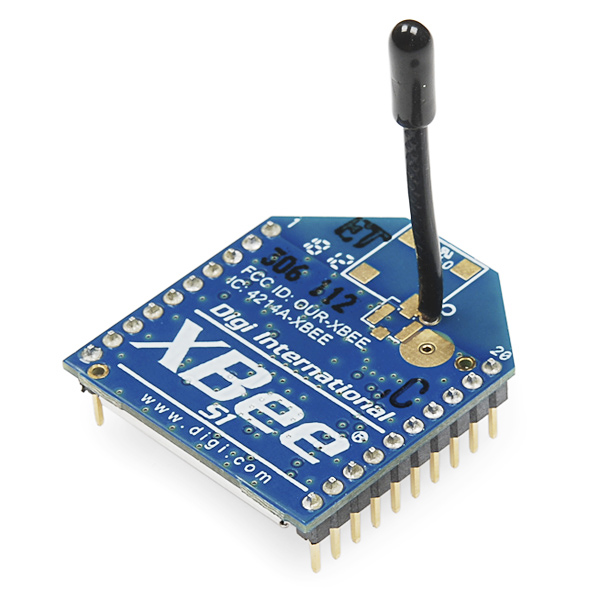
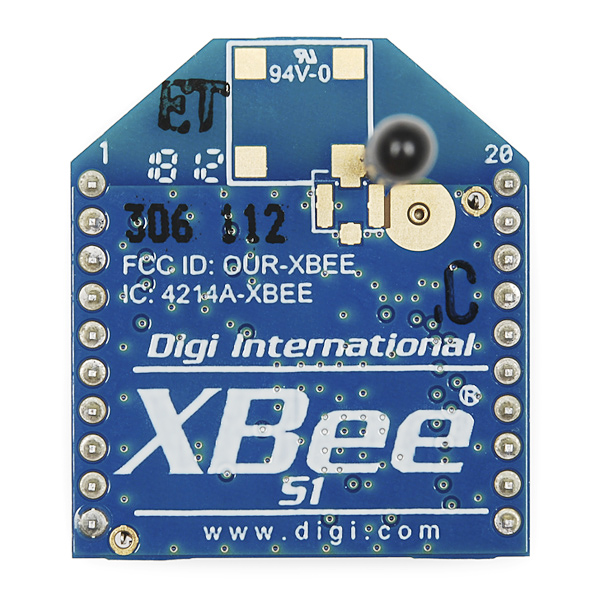
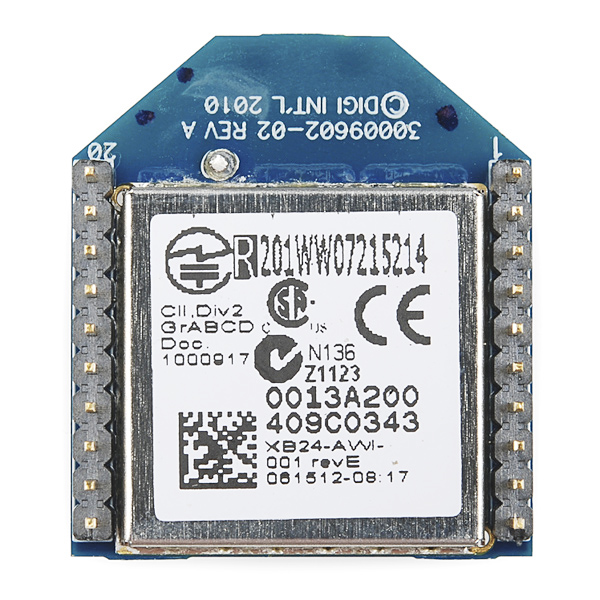
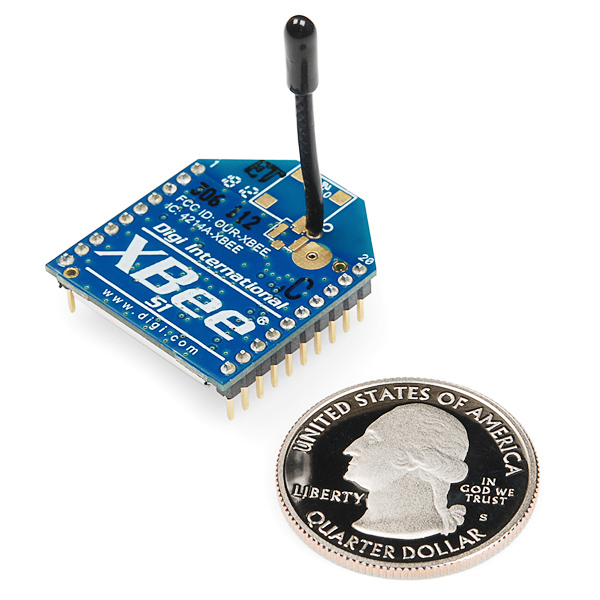
- XBee 1mW Wire Antenna - Series 1 (802.15.4)



XBee 1mW Wire Antenna - Series 1 (802.15.4)
This is the very popular 2.4GHz XBee module from Digi. These modules take the 802.15.4 stack (the basis for Zigbee) and wrap it into a simple to use serial command set. These modules allow a very reliable and simple communication between microcontrollers, computers, systems, really anything with a serial port! Point to point and multi-point networks are supported.
Not sure which XBee module or accessory is right for you? Check out our XBee Buying Guide!
Note: If you are using these outside of the United States, please check with your local laws regarding radio communication.
- 3.3V @ 50mA
- 250kbps Max data rate
- 1mW output (+0dBm)
- 300ft (100m) range
- Wire antenna
- Fully FCC certified
- 6 10-bit ADC input pins
- 8 digital IO pins
- 128-bit encryption
- Local or over-air configuration
- AT or API command set
XBee 1mW Wire Antenna - Series 1 (802.15.4) Product Help and Resources
Wireless Joystick Hookup Guide
January 5, 2017
A hookup guide for the SparkFun Wireless Joystick Kit.
Experiment Guide for RedBot with Shadow Chassis
May 28, 2015
This Experiment Guide offers nine experiments to get you started with the SparkFun RedBot. This guide is designed for those who are familiar with our SparkFun Inventor's Kit and want to take their robotics knowledge to the next level.
Wireless RC Robot with Arduino and XBees
March 12, 2019
In this tutorial, we will expand on the SIK for RedBot to control the robot wirelessly with XBee radios! We'll explore a different microcontroller and wirelessly control the RedBot at a distance.
Teensy XBee Adapter Hookup Guide
June 18, 2015
Getting started with the Teensy 3.1 / Teensy 3.2 and XBee. Establishing a serial link.
Simon Splosion Wireless
February 13, 2014
This is a tutorial demonstrating one of many techniques to "hack" the Simon Says. We will highlight the technique to take your Simon Says Wireless.
Wireless Glove Controller
April 24, 2019
Build a wireless glove controller with Arduinos to trigger an LED using XBees!
Serial Controlled Motor Driver Hookup Guide
November 17, 2016
Hookup guide for the Serial Controlled Motor Driver
Wireless Motor Driver Shield Hookup Guide
August 17, 2017
Get started with the SparkFun Wireless Motor Driver Shield!
XBee Shield Hookup Guide
June 5, 2014
How to get started with an XBee Shield and Explorer. Create a remote-control Arduino!
Exploring XBees and XCTU
March 12, 2015
How to set up an XBee using your computer, the X-CTU software, and an XBee Explorer interface board.
Core Skill: Programming
If a board needs code or communicates somehow, you're going to need to know how to program or interface with it. The programming skill is all about communication and code.
Skill Level: Rookie - You will need a better fundamental understand of what code is, and how it works. You will be using beginner-level software and development tools like Arduino. You will be dealing directly with code, but numerous examples and libraries are available. Sensors or shields will communicate with serial or TTL.
See all skill levels
Core Skill: Electrical Prototyping
If it requires power, you need to know how much, what all the pins do, and how to hook it up. You may need to reference datasheets, schematics, and know the ins and outs of electronics.
Skill Level: Noob - You don't need to reference a datasheet, but you will need to know basic power requirements.
See all skill levels
Comments
Looking for answers to technical questions?
We welcome your comments and suggestions below. However, if you are looking for solutions to technical questions please see our Technical Assistance page.
Customer Reviews
4.5 out of 5
Based on 6 ratings:
1 of 1 found this helpful:
Works with Ground Planes Underneath
I bought this after first purchasing the on chip antenna model. I later found that if you have a PCB with a ground plane under the on chip antenna, it would cause problems. It definitely did! Rather than redesign my PCB, I switched to the wire antenna and it works great.
One thing to note, the PWM output on these has a period of 15KHz which is too fast for some microcontrollers to interrupt upon accurately. It will cause a stack overflow at the least. However, you can use a resistor and capacitor filter on the PWM output to make it a stable linear analog voltage for your signal. I use this to control an R2D2 using an analog thumbstick without any issue.
Easy intro to wireless
I've been learning both the xbee 1 and xbee 2. It is far easier to use the 1 which is very easy to set up in a simple network. I especially appreciate the support videos from Sparkfun. I used them to help pave the way to understanding the xbee protocol. Sparkfun rocks!
These things are great
Two of these combined with the XBee Explorer Serial and right out of the box you've got a wireless serial connection....Now, if there was handy enclosure for them
Works great
simple to set up and use.
Exactly what I needed.
The range is not really that long as opposed to what is said in the specifications, however it works exactly as it is meant to, which makes it worth every penny.
XBee Series 1 Trace Antenna Defaults as of 2/6/2015 if you ever brick your XBee:
Product Family: XB24
Function Set: XBee 802.15.4
Firmware Version: 10ec
Can someone tell me which RFID tag this module detect? I am a beginner to the Arduino project. Is there any spec (frequency or something like that) that I need to check to see if this module can read.
Thanks.
Hi, this is not an RFID reader. For RFID readers and tags check here. If you have any other questions feel free to email techsupport@sparkfun.com.
Hi, Can anyone help me on how do I configure the digital I/O passing feature on 2 of these radios. I need to configure 5 digital inputs on the transmitter side which should be translated as 5 digital outputs at the receiver side and send commands to the microcontroller on the receiver module. Please help. Thanks.
Can this module communicate with xbee wifi module? Thank you.
Hello nice sparkfun people, i got a question, i would like to control 2 RC robot cars using 4 xbee's, one xbee module for a controller and one xbee module for the car i want to control from one user, and another pair of modules for the other car of the other user, i have this working fine for one car or another but not both at the same time, is there something im missing like configuring diferent address or channel on the xbee modules, or simply its that i cant use them at same time? to make this work as i want (both pairs at the same time) its only possible with series 2 modules or what can i do?, thanks =)
Under X-CTU, you can set each pair of devices to it's own PAN ID (car1, car2 or similar) and they will treat devices of the other PAN (Personal Area Network) as a different network then their own, and ignore it. This ID is also used by SSID for Wifi modules. This can also be done with AT commands.
Can i connect this module with an android phone? It should work as a transreceiver for phone and arduino board the arduino board is Arduino nano carrier 2.007
As far as hardware goes, you would need one of the Sparkfun USB adapter boards and a cable to go to the micro USB on the phone. On the arduino side, it would be just a standard xbee setup. For software, you would probably have to write your own app for the phone.
Also, the phone would need to able to do and be setup as a USB host device. You would need a OTG cable and capable phone. Also the XBee Explorer USB boards do require drivers, I don't know if FTDI has any for Android so you might have to write the interface yourself as well. Another option is to connect the XBees to the IOIO board and connect the IOIO to the Android.
Hi everyone
I am using these Xbee modules for my project. I want to know can these xbee modules be used for multi hopping? for example I have 3 nodes, i want to send data to node 3 from node 1 but node 3 is not in range of node 1 but node 2 is so i send data to node 2 and node 2 send data to node 3.
is there any option like this or i program it into my code ?
Basically this is the definition of a mesh network. This is the main feature of Series 2 over Series 1. Unfortunately Series 1 can not do mesh networking.
Thank you for your help So is there no way i can do it even if i work in the API mode like if i have the sender and destination address i can route the packet accordingly ?
I don't know anyway to have the XBee do it, that doesn't mean you cant have the middle XBee connected to an Arduino which reads all incoming data and reroutes it if necessary.
I just bought three of these modules and during configuration of my PAN, and address info (per the chat tutorial off the Digi Examples) I bricked two of the units. They seem to be very sensitive! One appears to be DOA (getting firmware checksum errors) and the other came back and seems ok now.
I noticed others have had the same issue and someone gave a link to a tutorial that supposedly tells you how to reset the unit. DO NOT follow those directions! They're not 100% wrong but they bypass some safer procedures (i.e. less likely to wipe your device) you should try first. Instead see Digi's support page. This page has recovery instructions for many different devices made by Digi. For this specific MODEM (e.g. XBee Series 1) reference the section titled XBee (Excluding ZigBee).
Note that if you are using the SparkFun USB host board and have to try the last nuclear "hold the reset" while seating the XBee module procedure you will need to wire up a switch (or equivalent) to pins 5 (/RESET) and 10 (GND). See the Datasheet referenced on this product page for pictures etc if you're not sure how to find pins 5 and 10.
I just received two units today.
In my testing I tried to send a file from one unit to the other. (I am using TeraTerm on both ends)
The received text file is missing the carriage return/line feed 0x0d/0x0a.
I have looked at all the options in TeraTerm and the XBee manual, Does anyone know why these chars are getting lost in the air?
And how to fix it.
Thanks
An Xbee in transparent mode (default) will pass anything except "(pause) +++ (pause)" so I would check what TeraTerm is sending.
Hello! Hey, I'm using Xbees Series 1 and 2B in some projects here. Very cool radios. Anyone have a suggestion about how I might simply interface a Series 1 with a digital potentiometer? Can I do this direct mode, or do I just need to bite the bullet and drop in a minimal ATMega 128 or so ? My need for this particular project is to control a digi pot. from a web interface. Have the dev setup working for the flash slider front end, n/p , but thought I'd ask the smart SparkFun crowd if they had any ideas for the simplest method to achieve simplest digital potentiometer interfacing to Series 1 or 2B. It looks like Series 1 would be better for this application, but any suggestions would be appreciated! I got about a month to iron this out, should work? Anybody done this before? On what manuf's digi pots. should I concentrate?
did you get this to work i am trying to do the same thing. have an xbee control a dig pot.
Is the antenna on this module simply a wire cut to the correct length? If I needed an antenna for a module that is missing one, could I simply cut a wire of similar gauge and length and solder onto this board?
hi; can i transmit video through this xbee? i want to transmit webcam video to pc using this xbee, plz reply .thanks in advance
XBee's are not designed or optimized for video, though they're great for controlling a pan/tilt mechanism or another controller that's attached to a webcam.
Does anyone know how to fix this error " Unable to communication with modem"?
I had 3 of the xbee series 1 and all of them aren't working at all. There's nothing wrong with the xbee chip for sure, because at the first time i try it, it works but what I try to change it. It just stop.
Try resetting them. You can see instructions on this at http://www.instructables.com/id/Changing-Xbee-Baud-Rates/. If you still can't communicate, contact us at techsupport at sparkfun dot com.
in transparent mode, do the i/o pins all just show up on the other Xbee? I was thinking about using this to replace a RS232 cable...
I'm using these for a school engineering project, and I've been through 3 of them (they seem to be quite easy to break), and now that I've gotten two of them working and communicating, it's not reliable at distances over 1m. This seems like a pretty catastrophic failure, any ideas or common mistakes that I could be making? There's no way that these devices would be this popular if they weren't dependable.
Hi guys..
I have bought 3 Xbee from Sparkfun and UART-USB converter, then I develop own level shifter to communicate with PC, I follow the instruction to write firmware into Xbee (using XCTU modem configuration). At first there is no problem, until at the middle of downloading, error happened and fail. Then I try again, unfortunately, my Xbee cannot be detected. I have try several times still not work until now. I'm sure my Xbee still fine (not burn), the error from downloading make it like this.
Anyone have this experience? Please do share with me..
Thanks :)
How do I connect this to my computer? Does my computer need an XBEE of its own?
yes this is a 1mW transceiver. you need another end, and i don't think that most computers have an x bee port (yet ;) )
Hi, i'm a beginner and I have a question. Can this module be used as a transmiter and receiver?
This module is a transceiver and will support two way communication with another identical model (or any other series 1 model). The XBee Explorer USB page has a chart that breaks down the various models.
Anyone know where to find info on how much better reception to expect with this compared to the chip antenna? They both state 300ft, but it seems you should get better signal with this.<br />
Hello guys,
I bought two of this module for a project in hand. I need to use "i/o line passing" feature to update output pins status of remote module, based on the input pin of base module. However, when I read the input pins information of the base module through the UART (on X-CTU), I find all the DIO pins are high (represented by "1" in data frame), regardless the really value on that pin. Btw the communication through Din and Dout works fine. The problem is only on DIO pins. Can anyone point out the possible problems in my case? (Maybe my description is not clear enough. I can give more info if anyone feels like)
Thanks in advance.
hello
kindly guide me about XBEE transmitter and receiver suitable communication with each other
thank and waiting for reply..!
if you want set up a basic Serial Pipeline (UART at speeds ranging from 1200Baud to 230400 are standard) then this might help:
Xbees are standardly set to provide a "transparent" serial pipeline @ 9600Baud so what comes in on the DIN at 9600bauds will come out at the DOUT on other xbees at the same speed.
to alter the baud(or other settings) its best to use Digi's X-CTU.
to use X-CTU you must connect the Xbee with a Serial Com port (USB explorer or an FTDI breakout will do nicely) then in X-ctu you can alter the xbees settings (including the baud rates). hope this helps and if not please tell me
Good morning! Please, I want to buy XBee 1mW Wire 4 plates Antenna - Series 1 (802.15.4). You delivery in Brazil and how much? Thank you.