- Home
- Product Categories
- XBee Boards
- SparkFun XBee Explorer Dongle



SparkFun XBee Explorer Dongle
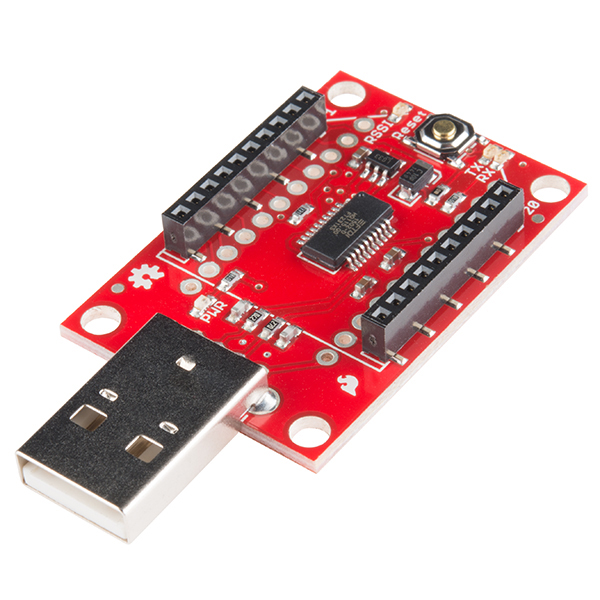
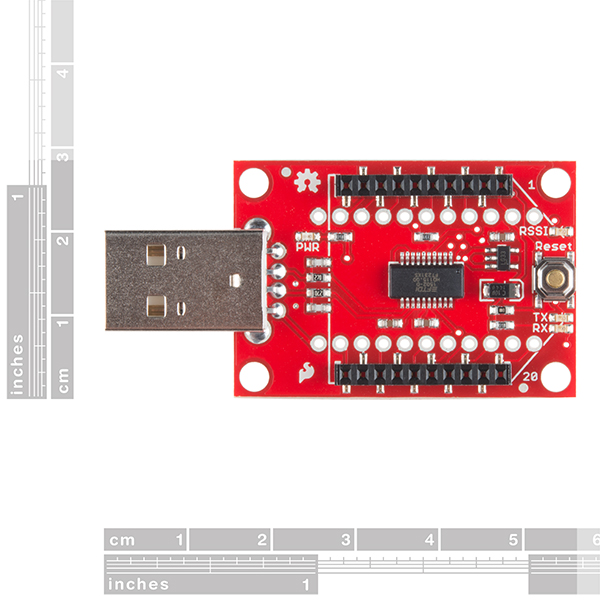
This is the SparkFun XBee Explorer Dongle unit for the Digi XBee module line. With the XBee Explorer Dongle you can plug the unit directly into your USB port and have it act as a gateway between your computer and the XBee. No cables needed! This unit works with all XBee modules including the Series 1 and Series 2.5, standard and Pro version. The on-board voltage regulator is good up to 500mA.
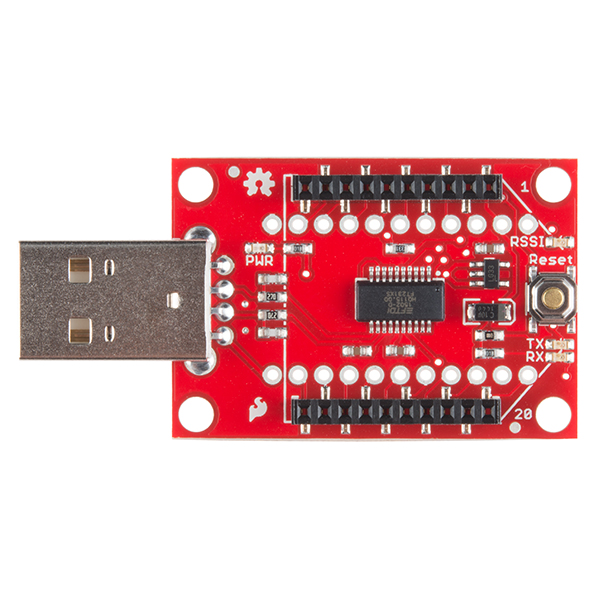
The highlight of this board is an FT231X USB-to-Serial converter. That’s what translates data between your computer and the XBee. There’s also a reset button, and a voltage regulator to supply the XBee with plenty of power. In addition, there are four LEDs that’ll help if you ever need to debug your XBee: RX, TX, RSSI (signal-strength indicator), and power indicator.
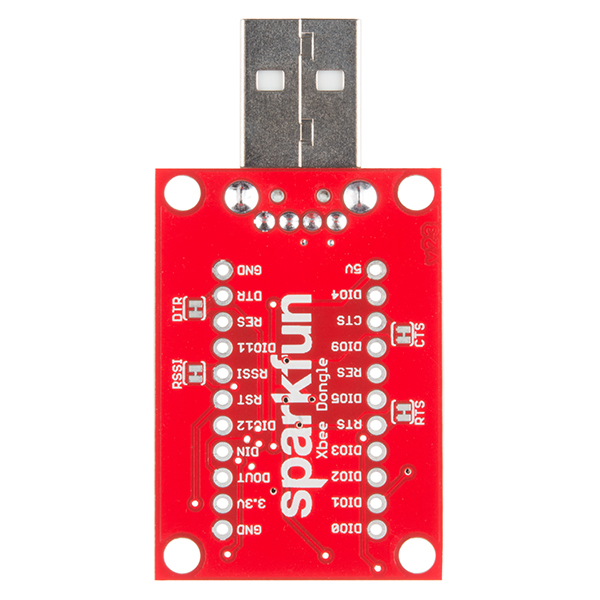
This board also breaks out each of the XBee’s I/O pins to a pair of breadboard-compatible headers. So if you want to make use of the XBee’s extended functionality, you can solder some header pins into those, or even just solder some wire.
Not sure which XBee module or accessory is right for you? Check out our XBee Buying Guide!
Note: There is no XBee included with this Explorer Dongle. Check the Recommended Products section below for different options.
Note: This board cannot source the power required for the Cellular XBee line. It will only work with the 802.15.4 variants.
SparkFun XBee Explorer Dongle Product Help and Resources
Exploring XBees and XCTU
March 12, 2015
How to set up an XBee using your computer, the X-CTU software, and an XBee Explorer interface board.
Comments
Looking for answers to technical questions?
We welcome your comments and suggestions below. However, if you are looking for solutions to technical questions please see our Technical Assistance page.
Customer Reviews
4.3 out of 5
Based on 29 ratings:
1 of 1 found this helpful:
Nice and Tidy
The dongle fits nicely in my laptop or desktop, no more USB cables mess. However, its width makes it difficult to attach anything next to it (eg. another USB or HDMI port) Had no difficulties operating it. Good product.
1 of 1 found this helpful:
Works great!!
This device is a great way to interface an Xbee module to your PC or Rpi thru the USB port.
1 of 1 found this helpful:
Good little board to help program wireless XBee Style Boards
Nice little board that helped me work with and configure an XBee and WiFly wireless adapter. Very simple to use. Just plug in chipboard, plug into computer (I use windows), check what COM port it came in as and connect using Putty or TeraTerm. Not much more to say other then it works. Worth the investment in my opinion vs. a shield.
1 of 2 found this helpful:
Works as advertised
Little bad to say about this- it works with the XBee as advertised, which is a great thing if your XBees work in the application you're needing of them.
I love when my parts work in the applications I need them too! Thanks for the review.
1 of 2 found this helpful:
Not very well designed
The is nothing wrong with the performance of the Xbee Explorer Dongle, it's actually good. But, the problem is that the Hardware is too wide so that when I insert it in the USB port, because of the close proximity of the USB ports, it will prevents me from using adjacent ports. I have a Mac and Macs only have two USB ports, with the Explorer plugged in, the USB port next to it becomes unavailable. I would recommend getting an alternative module with a micro USB cable, as this will not restricted access to adjacent ports.
It works
No issues.
It worked
The xbee dongle plugged in and worked with the Digi software.
It worked
The xbee dongle plugged in and worked with the Digi software.
Works as promised!!
Easily allows y to configure your exbee
Works perfectly
I got this, and the arduino shield, plus some other odds and ends. It works perfectly.
I'm very new to electronics, and the tutorials Sparkfun provides are great. I've got my radios talking, but I have a lot to learn.
Perfect solution for connecting your XBee to your PC / laptop
I just love these things! Gets rid of the annoying cable, allowing you to plug your XBee directly into your computer's USB port.
Nice little package
Just a small, simple FTDI board with an Xbee socket on it. The reset button is a nice touch. A little pricey, but worth it.
great device!
simple inexpensive way to add a radio link to a PC.
work like a charm
Just plug in my laptop and here we go!
Critical tool for any XBee user
Well-designed and compact way to configure, update, and diagnose all kinds of XBee and XBee-form-factor modules. We've used these heavily with XBee Series 1 and 2, Pro 900HP, RN-42 modules, and WiFly modules. Fully compatible with XCTU, including DFU. Reset button is handy, and not found on many other XBee adapters. Integrated USB plug is convenient. A must-have tool for anyone who regularly uses XBee-form-factor modules, especially in the field.
Some issues, but everything ended up great!
I initially ordered one of these to use with a project, and for the life of me, couldn't figure out what was wrong with the drivers. The board wasn't completely dead, but something was up. After contacting support, I talked to someone that genuinely knew what they were talking about, and cared about resolving the issue. After doing his best to diagnose the issue, he concluded that it was defective, and sent out a new one, that works perfectly!
Works like a charm
Works perfectly with XCTU, no drivers or anything required.
Great for debugging and testing
Very handy!
XBEE explorer dongle
works great and as advertised to program my XBEE
Perfect Zigbee Breakout
Compact package makes it relatively simple to have your computer joining a Zigbee network and sending/receiving messages in no time.
Ideal for my project
Use to load xbee firmware settings using my power book, test there, move over to a raspberry pi to run. Plug and play. Works every time, simple, easy to load the xbee.
Excellent product. . Recommended.
Item matches description. Operates well as per the datasheet.
Helps in Arduino program developement.
I started working with a Robo Peak LIDAR run by an Arduino and taking the data and applying it to a Adafruit NeoPixel 24 ring. I then wanted the Arduino to send the data to another Arduino that would run the NeoPixel. So I wanted to use XBees for the data transfer. Using the Dongle allowed me to see what was being transfered and start coding the second Arduino. I got it working but it still needs to be tweeked.
XBee Explorer Dongle
It has not yet reached its destination. What would be the reason?
Works as advertised
I have 2 Arduinos taking commands from a PC using this dongle. A dongle, 2 shields and 3 XBee modules. You can get the XBee module in backwards but it doesnt seem to hurt it if you catch it quickly. The documentation below is very helpful.
Did not work
Purchased the newer design of the explorer with a reset button and without the need for a cable. Never worked. I had the older design, so I never bothered getting it fixed.
Please contact our support team, we'll be happy to help you out with this issue.
This is odd! My Xbee USB Dongle cant get recognized on the xctu software. It does not even shows the Port i plugged it in to. I have a macbook pro freom early 2015. I am a bit worried that it has something to do with that. Since i was totally able to detect the dongle on other computer. can anyone give me a tip how to proceed?
-------------------- Tech Support Tips/Troubleshooting/Common Issues --------------------
XBee S3B Compatibility
If you are using the XBee Explorer Dongle or the XBee Explorer USB, make sure that you cut the RSSI trace on the back of the board. The XBee S3B modules [like XBee-Pro 900 XSC S3B Wire - WRL-11634] does not work properly with anything connected to the RSSI pin.
Any chance of you all carrying the X-stick from Digi? That's basically an X-bee and USB interface in a USB stick (with plastic cover around it, for people who don't want raw circuit boards sticking out of their computer (I know, I know, who could possibly not want circuit boards sticking out?!).
The schematic is for the older version with a 28-pin FT232RL. This one has a 20-pin FT231X, and also seems to have a reset button and some new jumper traces. (And yet, the schematic does mention use of a surface-mount USB connector whereas the older version had a through-hole mounted connector.) Can we get an updated version?
All Fixed, sorry about that!
I wanted to order this part with some XBees this afternoon, and now its out of stock :( Do you guys know when you will have the next batch ready? I only need one or two, but therefore urgently and I would not like to order from multiple stores if possible, as I am not in the US.
You might see some this afternoon, but no guarantees. You can also try the XBee Explorer USB which is the same board but with a different USB connector on it.
Does the dongle work with the Series 2 (ZigBee Mesh) XBees?
Yes it does. Basically the dongle connects power, gnd, rx and tx to the XBee. Digi is consistent enough that those pins are in the same place on all XBees (that I know of).
Hi, can I use this device to connect Digi Xtend 900? I don't plug in like Xbee does, but i connect the related pin using connector. I just want to connect Xtend to XCTU(software).
Will this work with Android via USB OTG?
Using the dongle with 900 Mhz Xbee. Must communicate with Xbee using XCTU before running my application, then application runs fine. Using latest (2.12.0.0) FTDI driver. Any ideas what I can do to eliminate the XCTU step?
Hi. I just bought the Xbee dongle for programming a number of Xbee, but now I want to connect one of them to my Arduino Yun. the Arduino Yun has a USB port, if I plug my xbee with the dongle to it, will I be able to pass data trough it?
Hi ! Can I plug this into the usb port of an uno to wirelessly upload a sketch from another xbee explorer I have at my computer ? thanks
No, the Arduino does not have a female A side to plug this into. When dealing with USB you need a host device. Usually the host is your computer, which acts as the brains and initiates the different commands. In this case you wouldn't have a host. While it is possible to use something like the USB host shield you end up having to write your own drivers which means its usually more headache than its worth if you don't know what you are doing. If you want to connect and XBee to an Arduino you will probably want to use the XBee Shield or the XBee Explorer Regulated
Just purchased qty=2 of these in anticipation of using it / them instead of the WRL-11812 (I use with a USB changer). Using a Macintosh Air (2011 version with Yosemite). When I plug into my Mac, it isn't being seen. Can't see it in any of the listed devices in XCTU. Looked at a devices listing (ls /dev/* using terminal) and can't see it. Verified the XBEE radio can be seen with the 11812 first. Also, when plugging in, the (I assume power) red LED lights up and stays lit. Using the little 'reset' button, I can see a small led lights up momentarily. Anyone else using this with a Mac? What, if anything, did you do to get it to show up? Lastly, what is the device name you see once you've plugged it in? TIA for replies.
Follow-on: Got it working. Downloaded drivers (URL http://www.ftdichip.com/Drivers/VCP.htm, 2.2.18 works fine on Yosemite) and installed. Can see the device. Just don't see needing to install drivers much on a Mac.
Had the same problem on windows 7 with a 900mhz xbee . Upgrading to the latest driver (2014-09-29) solved the problem.
I just ran into this issue, your comment was very helpful.
I recently received mine, and it does work fine with the version of the FTDI driver that bricks counterfeit FTDI chips.
What are the voltage & current specs on this device? Will the traces handle 5V at 1.2A?
Just a note that helped me out a lot. You should optimize the com port for XBees. http://www.digi.com/support/kbase/kbaseresultdetl?id=3418
I bricked two of my XBees when I tried to update the firmware because the com ports were not optimized. Digi's recovery instructions worked great.
http://www.digi.com/support/kbase/kbaseresultdetl?id=3402#XBee
Does this need to be done on both Xbees? The Digi site explains that the process optimises the driver to work with the Xbees Com port, so it applies to an Xbee on a PC. But what about an Xbee attached to an Arduino? Michael
I doesn't look like you are doing anything to the XBees, just the COM port which is computer/Explorer specific. So you will want to do this for every computer/Explorer combination you have. Otherwise that link just seems to talk about setting the firmware up for the modules.
Has anybody tried using this with a Raspberry Pi and Raspian? I'm hoping I can talk to the XBee through some Python code running on the RPi.
Yup, I have had success using it with Raspbian. Doesn't even require any driver installation. Just works! It shows up as something like
/dev/ttyUSB0. I've only gone so far as to test it in a terminal with putty, it'd be really cool to see it interacting in a Python script.Hi Jimb0, I also plugged the XBee Explore Dongle in one of the USB ports of my Raspberry Pi. When ssh into the RPi and performing an sudo lsusb I see the device "Future Technology Devices International, Ltd FT232 USB-Serial (UART) IC", so the RPi finds the dongle. Did you test (e.g. incoming data from another XBee) something else? Thanks.
I get the same response from
lsusb. I got it to send and receive data from another remote XBee, but that's about as far as I went.Did you use an app on the Pi to send/receive data from another XBee? On PC I use Digi's XCTU.
I used PuTTY on the Pi -- it doesn't give you the configuration tools, like XCTU, but it is a solid serial terminal application you can use to send and receive characters. You should be able to install it on your Pi with a
sudo apt-get install puttycommand.I know Putty I use it also on PC and Linux. I'm using (as a test, since I will develop a Java app) using just $ cat < /dev/ttyUSB0. Works perfect.
This is basically just an FTDI board acting as a USB to serial adapter. As long as you can find FTDI drivers this should work fine.
This board uses MIC5205. Datasheet says it is 150mA LDO. I don't see how it can provide 500mA. Knowing that xBee Pro can use up to 800mA, I would say that this board is not designed to support Pro models. Btw, USB 3.0 port can provide up to 900 mA, so it should be possible to use it as a power source.
Shoot...looks like that part number wasn't updated on the schematic. We're actually putting a MIC5219 on there, which will be able supply that 500mA. I'll get the schematic updated shortly.
Thanks for a quick response. I guess the issue of 800mA requirement still remains for Pro models. Here is what manual says: "Transmit Current: 500 mA typical at 3.3V (800 mA max)".
"This unit works with all XBee modules..."
Can you confirm this indeed works with the XBee Wi-Fi? I have another brand (not yours) of explorer that it does NOT fit on because the WiFi component is too thick on the underside, which does not allow the pins to seat all the way. I'd like to make sure that chip in the middle of yours does not create the same problem. Thanks!
It does indeed work with XBee WiFi modules. The USB connector on this is shifted more towards the edge of the board, so it doesn't hit the XBee WiFI module's metal RF shield.